Table of contents
csh sensible defaults
On FreeBSD (and possibly others) the csh is the default login shell for root or default users. I always try to avoid it and use bash. However, sometimes it's not possible or dangerous to install bash (inside a jail for example).
So I decided to check if it is possible to configure csh in a way to make it less annoying. I read the docs, tried many different options and here is the result.
That's not much but helps digging around a system using csh. With this config you'll get:
- completion similar to bash
- right/lift jumping by words using CTRL-left and CTRL-right
- CTRL-up goto beginning of line, CTRL-down goto end of line
- history search using CTRL-R
- some sensible aliases
- a meaningful prompt
# sensible defaults for CSH alias h history 25 alias j jobs -l alias la ls -a alias lf ls -FA alias ll ls -lA alias l ls -laF alias lt ls -ltr alias md mkdir -p alias .. cd .. alias ... cd ../.. alias .... cd ../../../ alias vi nvi alias vim nvi# A righteous umask
umask 22# environment config
set path = (/sbin /bin /usr/sbin /usr/bin /usr/local/sbin /usr/local/bin $HOME/bin) setenv EDITOR vi setenv PAGER more setenv BLOCKSIZE K# if interactive, configure further
if ($?prompt) then # interactive prompt
set prompt = "%N@%m:%~ %# “ set promptchars = ”%#"# history config
set history = 5000 set savehist = 5000# complete case-insensitive
set complete = enhanced # print possible completions if more than 1 match
set autolist = ambiguous # enable filename completion
set filec # shut up
set nobeep # enable redirect protections
set noclobber # forbid rm *
set rmstar # mail?
set mail = (/var/mail/$USER)# convenience bindkeys, similar to emacs or inputrc
# ALT-LEFT
bindkey "^[^[[D" backward-word # ALT-RIGHT
bindkey "^[^[[C" forward-word # ALT-UP + HOME
bindkey "^[^[[A" beginning-of-line # ALT-DOWN + POS1
bindkey "^[^[[B" end-of-line # CTRL-R (like bash), then type
bindkey "^R" i-search-back # SHIFT-TAB cycles through possible completions, let go if good
bindkey "^[[Z" complete-word-fwd endif
Render current HTML buffer with EWW
From time to time I end up with raw HTML content in an emacs buffer and want to know how it looks or just want to read it properly. Until now either I opened firefox to read that file or I opened it with eww-open-file. The problem is, that sometimes there is no file, the HTML buffer is just the output of some generator or something. In such cases I needed to save the buffer as a file and then re-open it with EWW. Very annoying.
With this simple function the nightmare is over. I just use the EWW internal render function to do the job. That way I can view any HTML in emacs without even saving it to disk.
(require 'eww)(defun eww-render-current-buffer () “Render HTML in the current buffer with EWW” (interactive) (beginning-of-buffer) (eww-display-html ‘utf8 (buffer-name)))
(global-set-key (kbd "<C-c C-e C-w C-w>") ’eww-render-current-buffer)
Now when I'm inside a HTML buffer, I can just render it and take a look with EWW. Very handy!
Finlay
Finlay is seit Dezember 2016 bei uns. Er kommt aus einer Tötungsstation im Ausland. Wir trainieren viel, Schmusen viel und sind happy mit ihm. Hier ein paar erste Bilder:
2017-06-12 - Ein Küschen für die (grosse!) Dame:
2017-06-12 - So gut muss man es haben:
2017-05-14 - Training, Training, Training: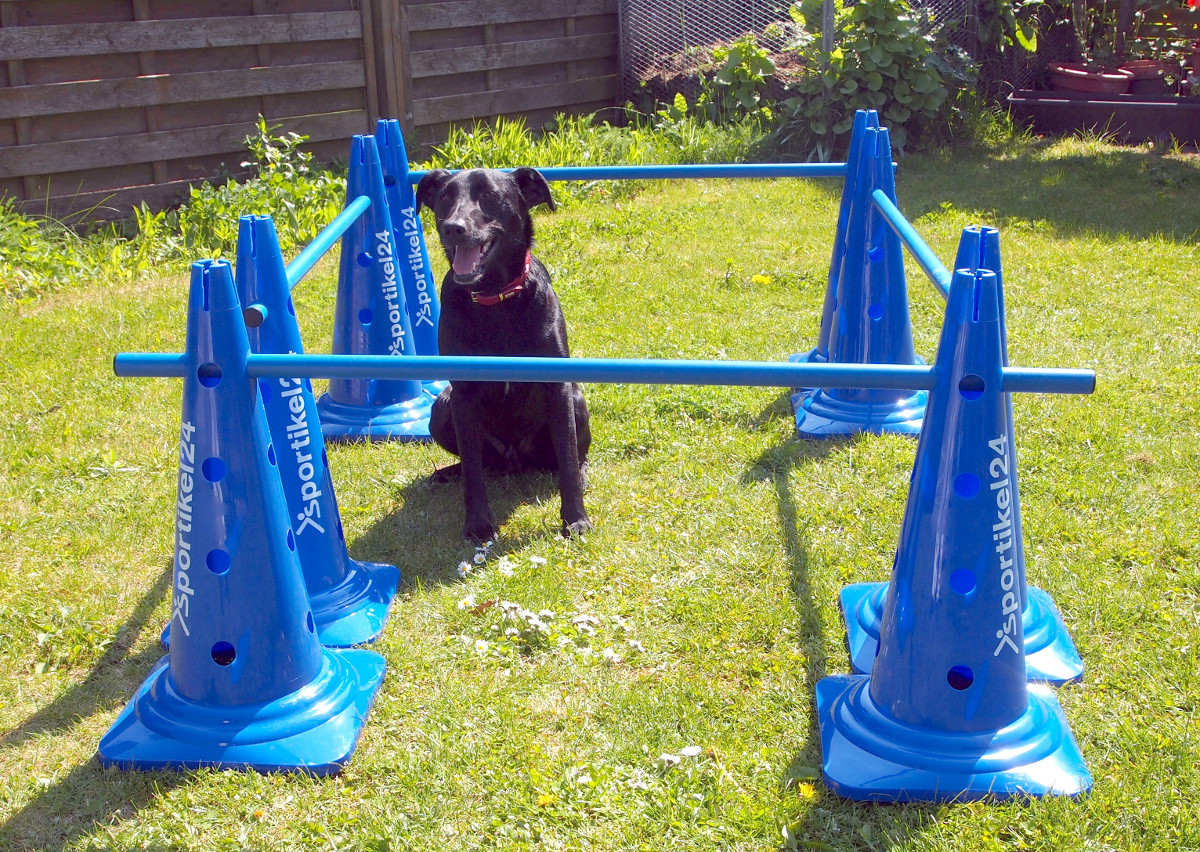
2017-05-14 - Cheeees!:
2017-05-14 - Hübscher Bub oder?:
2017-05-14 - Geschmückt, aber Müüüüüde:
Cheap RSA Paper Token Holder
Materail needed: Paper (I suggest photo paper which is thicker), scissors. Build instructions: trim the paper and fold it appropreately. Done. Now you can plase the token on your desk an read the numbers without taking your hands off the keyboard. Relief!
2017-05-13 - The token holder:
Emacs: Mark, Copy and Yank Things
In a previous post I described how I copy various things at point in emacs to make my daily live easier. Meanwhile the code grew larger and larger and in the end went too large to maintain it in my emacs config.
So, I descided to put it into its own module: mark-copy-yank-things-mode. As always you can find the mode on github.
There are a couple of new features now: I created a copy-comment-block function which is able to copy comment blocks even if they are on the right side of some code. Here's a demo gif:

Also, there is now support for email addresses, ip addresses and urls. The mode provides prefix keys mappings, so, it's very easy to change the key mapping for the various functions just by modifying the prefix key.
Here's a lis of the current default key bindings provided by the mode:
COPY commands (keymap: mcyt-copy-map):
C-c c w      mcyt-copy-word
C-c c q      mcyt-copy-quote
C-c c k      mcyt-copy-parens
C-c c l      mcyt-copy-line
C-c c p      mcyt-copy-paragraph
C-c c f      mcyt-copy-defun
C-c c u      mcyt-copy-url
C-c c e      mcyt-copy-email
C-c c c      mcyt-copy-comment-block
C-c c a      mcyt-copy-buffer
C-c c i      mcyt-copy-ip
C-c c s      mcyt-copy-sexp
COPY & YANK commands (keymap: mcyt-yank-map):
C-c c y y    mcyt-copy-and-yank-line
C-c c y l    mcyt-copy-and-yank-line
C-c c y p    mcyt-copy-and-yank-paragraph
C-c c y f    mcyt-copy-and-yank-defun
C-c c y a    mcyt-copy-and-yank-buffer
C-c c y w    mcyt-copy-and-yank-word
C-c c y i    mcyt-copy-and-yank-ip
C-c c y c    mcyt-copy-and-yank-comment
MARK commands (keymap: mcyt-mark-map):
C-c c a a    mcyt-mark-buffer
C-c c a w    mcyt-mark-word
C-c c a f    mcyt-mark-defun
C-c c a p    mcyt-mark-paragraph
C-c c a l    mcyt-mark-line
C-c c a u    mcyt-mark-url
C-c c a e    mcyt-mark-email
C-c c a s    mcyt-mark-sexp
C-c c a c    mcyt-mark-comment-block
C-c c a i    mcyt-mark-ip
Update 2017-03-28:
From time to time I stumble upon a very annoying emacs behavior: I copy some text and want to insert it into multiple positions somewhere else. However, I need to delete something on those positions before yanking. Now, this deleted stuff will be added to the kill-ring and appears first, when I executeyank the next time. So, I need to cycle through the kill-ring with M-y to reach the text I really want to yank. And everytime this text moves further away. So, this is what I type in those situations:
C-<backspace>
C-y
[..]
C-<backspace>
C-y
M-y
[..]
C-<backspace>
C-y
M-y
M-y
[..]
C-<backspace>
C-y
M-y
M-y
M-y
[..]
C-<backspace>
C-y
M-y
M-y
M-y
M-y
[..]
You see, this is very annoying. Here's how I fixed this: I just added a defadvice to my copying code of the above module, which puts the copied text into a emacs text register. And I created a new key binding to access this text register: C-v. I do not use this in emacs for cursor movement (its original binding) anyway and its the default PASTE key binding on some OS'es and applications - so I'm already somewhat used to it. Now I can always yank the last copied text and it doesn't matter how many items I added to the kill-ring since copying.
Here's the code:
(advice-add 'mcyt--copy-thing :after '(lambda (&rest args) (with-temp-buffer (yank) (copy-to-register 'c (point-min) (point-max)))))(defun my-insert-c-register () (interactive) (insert-register ‘c))
(global-set-key (kbd “C-v”) ‘my-insert-c-register)